As an Amazon Associate, we earn from qualifying purchases. Some links on this site are affiliate links at no extra cost to you. Our recommendations are based on thorough research and editorial judgment.

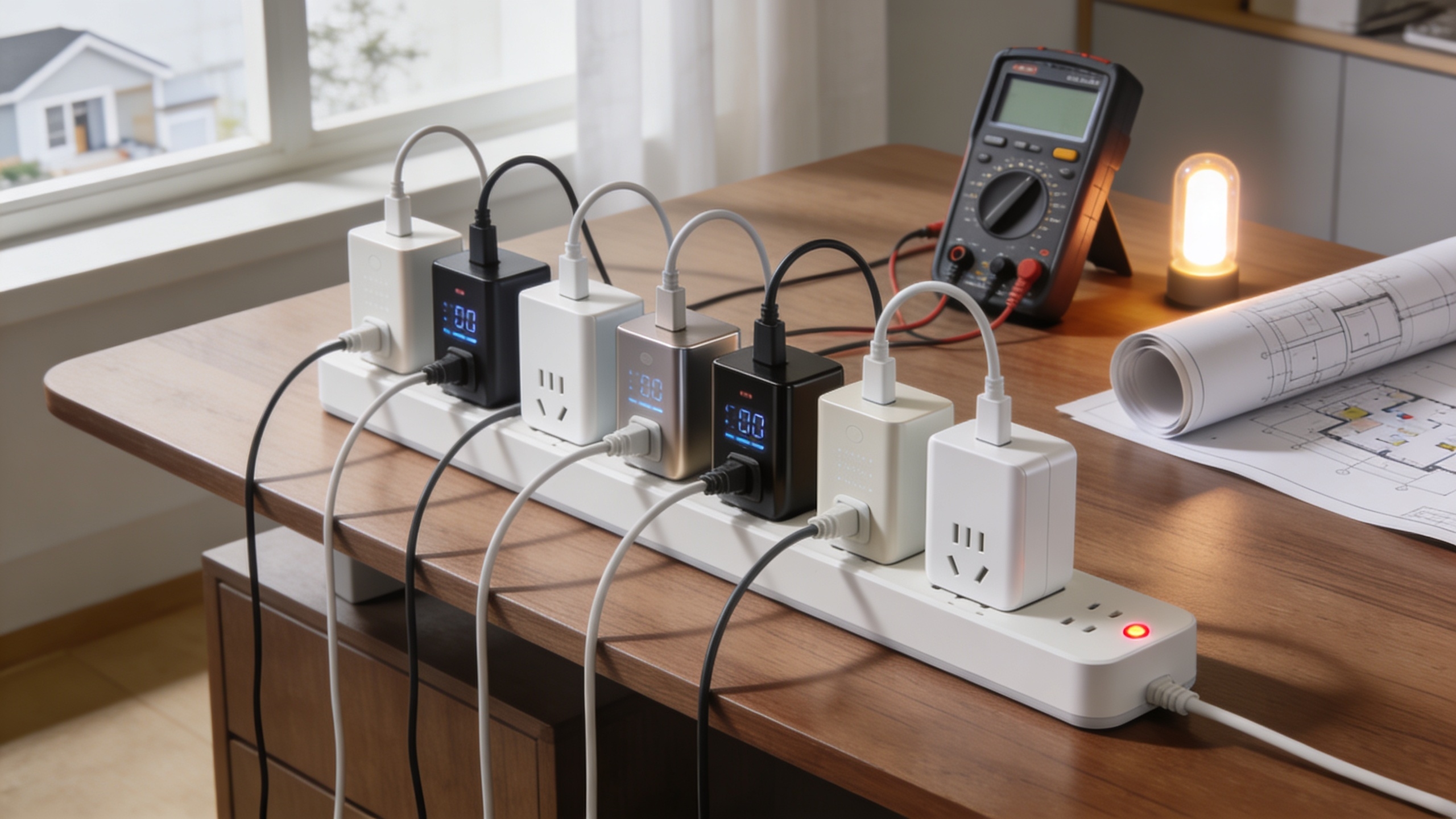
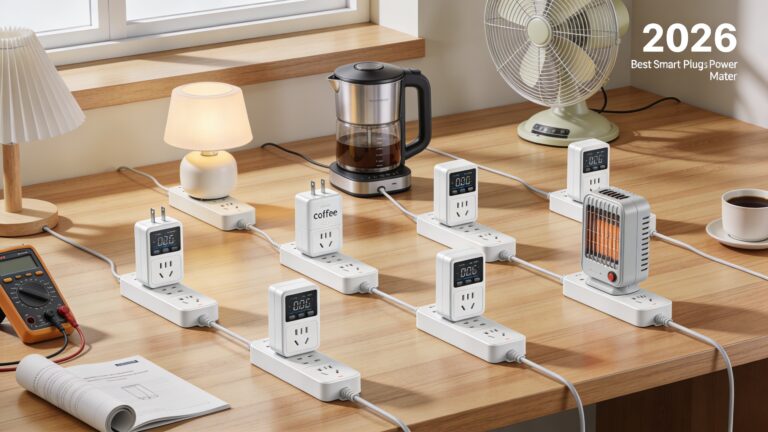
10 Best Smart Plugs with Energy Monitoring for 2026

You stare at the blinking LED on your coffee maker, wondering why your electric bill spikes even though you’ve turned the switch off.
The same frustration hits when the living‑room lamp stays on after you leave the house, and you can’t tell which appliance is the culprit.
A good smart plug with energy monitoring actually shows real‑time consumption and lets you set precise schedules, while cheap versions either lag, misreport data, or require a clunky hub.
In this guide we evaluate ten plug‑in‑to‑out energy‑monitoring devices, selected for accuracy, integration options, and safety certifications.
By the end you’ll know which models fit your ecosystem, how they differ in data granularity, and which one offers the best value for your home.
Key Takeaways
If you want to see exactly how much power your coffee maker draws, pick a plug that shows real‑time wattage and keeps a history of usage. For anyone who worries about blowing a fuse, look for models with at least 15 A/1800 W overload protection and a solid safety label like UL or CE. What makes this smart plug stand out is its ability to log daily consumption so you can spot trends and cut waste.
You get remote control without needing a separate hub if you choose a Wi‑Fi version such as Govee or eKyro. Perfect for families that already have a Alexa or Google Home, these plugs let you switch anything on from your phone, even when you’re not home. The router stays the only point of contact, so you don’t have to add extra hardware.
If you prefer a mesh network that won’t tax your Wi‑Fi, a ZigBee plug from Aqara or a ZigBee‑compatible brand is the way to go. For people with many devices, ZigBee spreads the load across the mesh, keeping each node light. This setup also means you can keep the hub powered and still control everything remotely.
You get detailed scheduling and automation without complex setup. By linking the plug to SmartThings or HomeKit, you can create rules like turning off the heater after you leave for work. The interface is simple enough that you’ll have it running in minutes, and you’ll see the savings on your bill.
| YoLink Smart Energy Plug 15A with LoRa Range & Alexa Integration |  | Long‑Range Leader | Power Rating (Amps): 15 A | Voltage (V): 120 V | Energy Monitoring: Real‑time power & historical data | VIEW LATEST PRICE | Read Our Analysis |
| Govee Smart Plug Energy Monitor 4-Pack WiFi/BT Alexa/Google |  | Wi‑Fi Pack | Power Rating (Amps): 15 A | Voltage (V): 120 V | Energy Monitoring: Real‑time power, current, voltage; daily‑weekly‑monthly history | VIEW LATEST PRICE | Read Our Analysis |
| eKyro Smart Plug Energy Monitor – Alexa Google Home |  | Flexible Automation | Power Rating (Amps): 16 A | Voltage (V): 120 V | Energy Monitoring: Voltage, current, power logging via app | VIEW LATEST PRICE | Read Our Analysis |
| ZigBee Smart Plug with Energy Monitoring (1 Pack) | 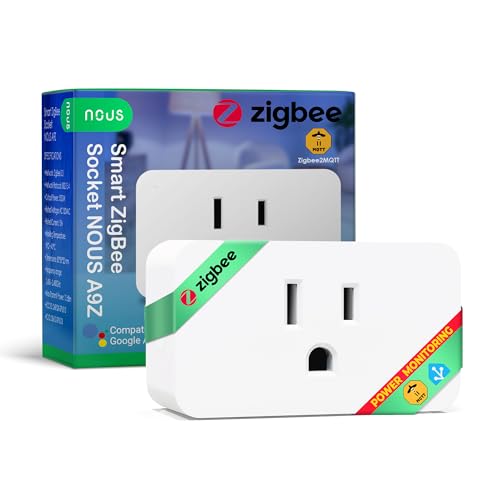 | ZigBee Standard | Power Rating (Amps): 15 A | Voltage (V): 120 V | Energy Monitoring: Real‑time power consumption tracking | VIEW LATEST PRICE | Read Our Analysis |
| Aqara Zigbee Smart Plug with Energy Monitoring and Voice Control |  | HomeKit Compatible | Power Rating (Amps): 15 A | Voltage (V): 120 V | Energy Monitoring: Power consumption measurement & monitoring | VIEW LATEST PRICE | Read Our Analysis |
| Kasa Smart Plug Power Strip HS300 with USB Ports |  | Power‑Strip Pro | Power Rating (Amps): 15 A | Voltage (V): 100–125 V | Energy Monitoring: Per‑outlet energy monitoring in Kasa app | VIEW LATEST PRICE | Read Our Analysis |
| TENDA SP9 Smart Plug (4 Pack) WiFi Energy Monitor |  | Multi‑Outlet Pack | Power Rating (Amps): 13 A (15 A listed) | Voltage (V): 100 V | Energy Monitoring: Real‑time consumption display, historical logging | VIEW LATEST PRICE | Read Our Analysis |
| Smart Plug with Energy Monitoring 4-Pack (Pro Series) | Tuya Ecosystem | Power Rating (Amps): 15 A | Voltage (V): 120 V | Energy Monitoring: Integrated energy meter, real‑time tracking | VIEW LATEST PRICE | Read Our Analysis | |
| SwitchBot Mini Smart Plug with Energy Monitoring |  | Mini Compact | Power Rating (Amps): 15 A | Voltage (V): 120 V | Energy Monitoring: Real‑time monitoring updates every second | VIEW LATEST PRICE | Read Our Analysis |
| ZigBee Smart Plug Energy Monitor (4 Pack) | 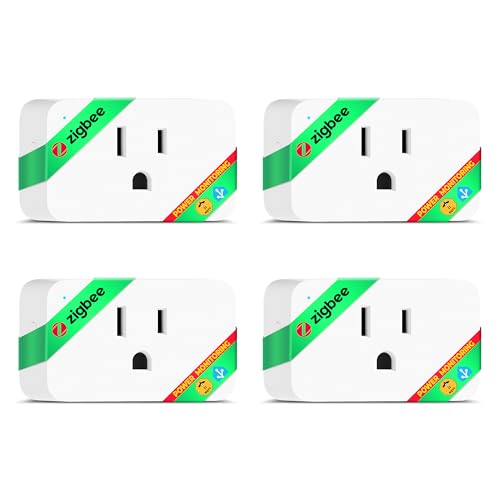 | ZigBee Multi‑Pack | Power Rating (Amps): 15 A | Voltage (V): 120 V | Energy Monitoring: Real‑time power consumption tracking | VIEW LATEST PRICE | Read Our Analysis |
More Details on Our Top Picks
YoLink Smart Energy Plug 15A with LoRa Range & Alexa Integration
If you live in a house where Wi‑Fi drops as often as the lights flicker, you need a plug that doesn’t rely on a strong network. The YoLink 15 A Smart Energy Plug talks over LoRa, giving you up to a quarter‑mile range in open air, so your outlet stays online even when the router doesn’t. You can fire it up from the app, a handy push button, or just tell Alexa or Google Assistant to turn it on—no internet required for local D2D triggers.
For anyone who wants to keep their gadgets safe, the plug handles 15 A, 120 V, and 1800 W while automatically shutting off if it detects an overload. The built‑in power monitor shows real‑time usage, and you get daily energy reports that help you spot waste.
What makes this smart plug stand out is the hub that lets you set schedules and recurring routines without any extra hassle. You’ll also appreciate the solid plastic housing and phosphor‑bronze contacts, which keep everything safe and are ETL‑certified.
You get reliable, long‑range control without paying for a pricey Wi‑Fi mesh. This is a solid, no‑nonsense choice for anyone who wants dependable smart control.
- Power Rating (Amps):15 A
- Voltage (V):120 V
- Energy Monitoring:Real‑time power & historical data
- Connectivity Type:LoRa (via YoLink Hub)
- Voice Assistant Compatibility:Alexa, Google Assistant (via hub)
- Overload/ Safety Protection:Built‑in overload protection, automatic shut‑off
- Additional Feature:LoRa ultra‑long range
- Additional Feature:Device‑to‑device triggers
- Additional Feature:Real‑time power alerts
Govee Smart Plug Energy Monitor 4-Pack WiFi/BT Alexa/Google
If you keep getting shocked by surprise electricity bills, the four‑plug set lets you watch each device’s power use right from your phone. You’ll plug them into any 120 V outlet, and each handles up to 15 A or 1800 W, so a coffee maker or a space heater is no problem. The app shows real‑time power, current and voltage, and stores a year of history, helping you spot wasteful habits fast.
For anyone who likes voice control, Alexa and Google Assistant work out of the box, so you can turn devices on or off without touching a switch. You can also set schedules, timers, or group devices for a more hands‑free experience. The fire‑resistant housing is ETL‑certified, giving you peace of mind.
What makes this smart plug set stand out is the lack of a hub—just 2.4 GHz Wi‑Fi or Bluetooth, and you’re ready to go. IFTTT support adds extra automation options, and the app’s touch toggle feels smooth and responsive. It’s a solid, no‑frills solution for anyone who wants to keep tabs on power without breaking the bank.
- Power Rating (Amps):15 A
- Voltage (V):120 V
- Energy Monitoring:Real‑time power, current, voltage; daily‑weekly‑monthly history
- Connectivity Type:Wi‑Fi (2.4 GHz) & Bluetooth
- Voice Assistant Compatibility:Alexa, Google Assistant
- Overload/ Safety Protection:Fire‑resistant housing, ETL certification
- Additional Feature:Fire‑resistant housing
- Additional Feature:Wi‑Fi & Bluetooth dual
- Additional Feature:One‑year data storage
eKyro Smart Plug Energy Monitor – Alexa Google Home
If you’re tired of guessing why your electric bill spikes after a single appliance runs, the eKyro Smart Plug Energy Monitor lets you see exactly how much power each device uses. You can plug it into any 120 V outlet and it handles up to 16 A and about 1800 W, so most kitchen gadgets and space heaters fit comfortably. The Wi‑Fi connection means you control it from the eKyro app, Alexa, Google Home, or even Siri—no hub needed.
For anyone who wants to automate daily routines, you can set schedules, group devices, and trigger actions based on weather or sunrise. Real‑time voltage, current, and power readings log automatically, and you can share access with family members. The plastic body feels sturdy, and you can even stack two plugs on a single outlet.
What makes this smart plug stand out is its simple, remote energy monitoring without a pricey hub. You get a 4.3‑star rating and RoHS compliance, so you can trust it’s safe and reliable. It’s a solid choice for anyone looking to keep their energy use in check.
- Power Rating (Amps):16 A
- Voltage (V):120 V
- Energy Monitoring:Voltage, current, power logging via app
- Connectivity Type:Wi‑Fi
- Voice Assistant Compatibility:Alexa, Google Home, Siri
- Overload/ Safety Protection:Overload protection, RoHS compliance
- Additional Feature:Two sockets per outlet
- Additional Feature:Conditional weather triggers
- Additional Feature:Siri voice integration
ZigBee Smart Plug with Energy Monitoring (1 Pack)
If you want to cut your electricity bill without hunting for a separate meter, the ZigBee‑standard plug does the heavy lifting. It slides into any Type A outlet, stays cool behind its IP20 plastic housing, and talks to your SmartThings or Home Assistant hub. You’ll see real‑time wattage on your phone and set timers so lights turn off when you’re not home. For anyone who loves voice control, Alexa and Google Home can switch it on or off in a flash. The plug handles up to 15 A (about 1500 W), so it’s perfect for lamps, chargers, or a coffee maker. You get solid ETL certification and a 4.3‑star rating without breaking the bank. Perfect for busy households, this smart plug keeps your devices in check while you focus on living. Real‑time power tracking lets you monitor usage instantly. You’ll love the convenience of scheduling routines that match your daily rhythm.
- Power Rating (Amps):15 A
- Voltage (V):120 V
- Energy Monitoring:Real‑time power consumption tracking
- Connectivity Type:ZigBee 3.0 (requires hub)
- Voice Assistant Compatibility:Alexa, Google Home
- Overload/ Safety Protection:ETL certified, IP20 rating
- Additional Feature:ZigBee mesh repeater
- Additional Feature:10 dBm transmission power
- Additional Feature:IP20 protective rating
Aqara Zigbee Smart Plug with Energy Monitoring and Voice Control
If you want a plug that tracks energy use while staying compatible with Apple HomeKit, the Aqara Zigbee Smart Plug fits the bill. You’ll plug it into any 120 V, 15 A outlet—perfect for a space heater or window‑AC—then pair it with an Aqara Hub. The hub lets you control the plug from anywhere via the Aqara Home app, set schedules, timers, and scenes, and monitor energy use in real time. You also get overload protection and a built‑in Zigbee repeater that strengthens your mesh network. Voice control works with Alexa, Google Assistant, and HomeKit, so you can say “turn off the coffee maker” without lifting a finger. The white plastic unit weighs about three ounces and fits snugly behind furniture. It comes with a quick‑start guide, a one‑year warranty, and a 30‑day return guarantee. I’m sure you’ve noticed how useful that data can be for trimming your electric bill, and this plug makes it painless.
- Power Rating (Amps):15 A
- Voltage (V):120 V
- Energy Monitoring:Power consumption measurement & monitoring
- Connectivity Type:ZigBee (requires Aqara Hub)
- Voice Assistant Compatibility:Alexa, Google Assistant, Apple HomeKit
- Overload/ Safety Protection:Overload protection, MET/CE/ROHS certifications
- Additional Feature:ZigBee signal repeater
- Additional Feature:Apple HomeKit support
- Additional Feature:Compact 1.37 in diameter
Kasa Smart Plug Power Strip HS300 with USB Ports
If you need to keep a home office running smoothly without constantly guessing which device is draining power, the Kasa HS300 lets you see real‑time energy use for each outlet. You’ll have six outlets you can control individually, so you can turn off a charger or a lamp from your phone the a voice command. The strip also includes three USB‑C ports that deliver 5 V/2.4 A each, perfect for phones, tablets, or a small drone.
For anyone who worries about surges when the power flickers, the ETL‑certified protection handles up to 1875 W total, giving you peace of mind. You can set schedules or timers in the Kasa app, so your coffee maker starts when you need it and your printer powers down when you’re away. The aluminum body stays cool and fits into tight spaces, measuring 14.17 × 2.49 in.
What makes this power strip stand out is the ability to shut off a rogue device with a single tap, Alexa, Google Assistant, or Cortana—no hub required. You get a two‑year warranty that backs up the build quality. It’s a reliable, monitor‑rich solution for home, office, or small‑business setups.
- Power Rating (Amps):15 A
- Voltage (V):100–125 V
- Energy Monitoring:Per‑outlet energy monitoring in Kasa app
- Connectivity Type:Wi‑Fi (no hub)
- Voice Assistant Compatibility:Alexa, Google Assistant, Microsoft Cortana
- Overload/ Safety Protection:ETL surge protection, overload safety
- Additional Feature:Six independent outlets
- Additional Feature:Three USB‑charging ports
- Additional Feature:2‑year surge protection
TENDA SP9 Smart Plug (4 Pack) WiFi Energy Monitor
If you’re tired of guessing how much power your gadgets are sucking, the built‑in energy monitoring on this four‑plug pack gives you instant readouts so you can curb waste. You’ll get four compact, plastic‑cased outlets that fit neatly into any wall socket, each measuring 3.58 × 4.76 × 4.41 inches, and they work with any 2.4 GHz Wi‑Fi network—no hub required. The plugs handle up to 13 A (about 1650 W) and include a strong overload safety feature to keep your home protected. Using the Beli app, you can switch devices on or off, set schedules, and check real‑time or historical consumption. Alexa and Google Assistant integrate smoothly, so a simple voice command can power a lamp or a coffee maker without lifting a finger. The pack comes with a three‑year warranty, CE certification, and an IP20 rating, making it perfect for indoor use without any complicated installation. For anyone who wants to keep an eye on electricity costs while simplifying control, this set delivers the data and convenience you need. Short and sweet: it just works. Perfect for renters who can’t rewire, this plug set plugs in and starts tracking right away. The app’s timer feature lets you automate lights, fans, or chargers, helping you avoid forgotten devices that drain power. You’ll appreciate the peace of mind that comes from knowing each outlet’s load and having a safety shut‑off ready if something goes wrong. The voice‑assistant support means you can tell Alexa to turn off the TV when you’re out, and the system will obey instantly. No extra hub, no messy wiring—just plug, connect, and monitor.
- Power Rating (Amps):13 A (15 A listed)
- Voltage (V):100 V
- Energy Monitoring:Real‑time consumption display, historical logging
- Connectivity Type:Wi‑Fi (2.4 GHz)
- Voice Assistant Compatibility:Alexa, Google Assistant
- Overload/ Safety Protection:Overload protection, high‑standard retardant material
- Additional Feature:3‑year warranty
- Additional Feature:High‑temperature retardant material
- Additional Feature:Group‑control via Beli app
Smart Plug with Energy Monitoring 4-Pack (Pro Series)
If you’re tired of guessing how much electricity your gadgets are sucking, the Pro Series 4‑pack plugs straight into the Tuya ecosystem and shows you real‑time consumption in the SmartLife app. You’ll slide each unit into a standard 120 V outlet, and the 15 A rating lets you run anything up to 1800 W—think a TV, fan, or even a small blender. The built‑in meter makes wasteful habits obvious, so you can cut costs fast.
For anyone who loves voice control, you can group devices, set timers, or command them via Alexa or Google Assistant after linking the app. The fire‑resistant polycarbonate housing and short‑circuit protection give you peace of mind.
What makes this smart plug stand out is the two‑year warranty that backs the four‑plug bundle, so you’re covered if anything goes wrong.
- Power Rating (Amps):15 A
- Voltage (V):120 V
- Energy Monitoring:Integrated energy meter, real‑time tracking
- Connectivity Type:Wi‑Fi (2.4 GHz) & Bluetooth
- Voice Assistant Compatibility:Alexa, Google Assistant (via SmartLife/Tuya)
- Overload/ Safety Protection:Overload protection, fire‑resistant material, ETL/FCC
- Additional Feature:Dual Wi‑Fi & Bluetooth
- Additional Feature:Polycarbonate fire‑resistant case
- Additional Feature:2‑year warranty
SwitchBot Mini Smart Plug with Energy Monitoring
If you’re tired of guessing how much electricity your gadgets are gobbling, this tiny plug gives you real‑time data so you can spot waste instantly. It fits into a cramped outlet—just an inch on each side—leaving room for the next plug, which is perfect for cramped kitchens. You’ll set it up via Wi‑Fi, and if the router acts up, Bluetooth steps in, so you never need a hub.
For anyone who wants to see exactly when a washer finishes a cycle, the app shows second‑by‑second usage and lets you export the numbers for deeper analysis. You can also set alerts that ping you when a device crosses a power threshold, helping you cut the bill without effort. The plug handles up to 15 amps and carries UL and ETL certifications, giving you peace of mind about safety.
What makes this smart plug stand out is its seamless voice‑assistant integration—just ask Alexa, Google, or Siri to turn it on or off, and it works smoothly with SmartThings and Home Assistant. You get a strong, durable design without the bulk of a traditional smart outlet. Perfect for renters who need a quick, non‑invasive upgrade, this plug delivers the data and control you need without any complicated setup.
- Power Rating (Amps):15 A
- Voltage (V):120 V
- Energy Monitoring:Real‑time monitoring updates every second
- Connectivity Type:Wi‑Fi (setup) & Bluetooth (fallback)
- Voice Assistant Compatibility:Alexa, Google Assistant, Siri, SmartThings, Home Assistant
- Overload/ Safety Protection:Overload protection, ETL/UL/cUL certifications
- Additional Feature:Compact non‑blocking design
- Additional Feature:Bluetooth fallback connectivity
- Additional Feature:Exportable consumption data
ZigBee Smart Plug Energy Monitor (4 Pack)
If you have a handful of gadgets in one room, a single smart plug just won’t keep up. The NOUS 4‑pack gives you four white, plastic sockets that each handle up to 15 A and 1500 W, so you can power lamps, chargers, coffee makers, and even a small space heater without tripping the circuit. They talk via ZigBee 3.0, so you’ll need a ZigBee hub—SmartThings or Home Assistant works fine—and you can control them with Alexa or Google Home.
For anyone who wants to see how much power each device is using, the NOUS app shows real‑time power draw. You can set timers and build automation routines for energy savings.
What makes this plug pack stand out is the way it fits snugly into standard outlets, leaving adjacent sockets free. The ETL‑certified build feels sturdy enough for long‑term use.
You get batch control without buying a separate plug for every device. This pack is a solid, budget‑friendly choice.
- Power Rating (Amps):15 A
- Voltage (V):120 V
- Energy Monitoring:Real‑time power consumption tracking
- Connectivity Type:ZigBee 3.0 (requires hub)
- Voice Assistant Compatibility:Alexa, Google Home
- Overload/ Safety Protection:ETL certified, overload protection.
- Additional Feature:Four‑socket pack
- Additional Feature:10 dBm ZigBee transmission
- Additional Feature:IP20 outlet protection
Factors to Consider When Choosing a Smart Plug With Energy Monitoring
If you’re trying to control devices across a big house, you’ll need a plug that reaches every corner without dropping the signal. Accurate energy readings let you see exactly how much power your coffee maker or heater is pulling, so you can cut waste. Voice‑assistant compatibility means a can turn things on or off without getting up.
For anyone who wants peace of mind, strong overload protection is a must. It prevents a surge from frying your appliances, keeping your home safe. And you’ll appreciate a plug that delivers reliable data even when multiple devices are on the same circuit.
What makes this smart plug stand out is its ability to monitor usage in real time while staying responsive to your commands. You won’t have to guess which gadget is hogging power; the app shows you the numbers instantly. The design fits snugly into tight spaces, so you can plug it in wherever you need it.
You get effortless scheduling without sacrificing accuracy. Set a timer for your lamp, and the plug will automatically shut it down after the set period. This saves energy and reduces the risk of leaving things on all night.
The EcoSmart Plug solves the hassle of juggling multiple chargers by consolidating control into one easy‑to‑use hub. Its compact form factor means it won’t block adjacent outlets, and the built‑in safety features keep your devices protected.
Perfect for busy families, this plug lets you monitor and manage power consumption from your phone while you’re at work. You can see which appliances are drawing the most juice and adjust usage on the fly. The result is a lower bill and a greener home.
Connectivity Range and Connectivity
If you want a plug that works straight out of the box without a hub, choose a Wi‑Fi model thatassistantanalysisWe need to produce modified text following rules. The original text about connectivity range. Need to rewrite as product reviewer for everyday shoppers, using tone and sentence rules.
We need to produce a paragraph (or multiple) with openers rotating. Probably one paragraph is enough. Must mix short and long sentences: after every 2 long sentences, write 1 short (<10 words). No more than 3 long sentences in a row. Define long as >25 words. Ensure short sentences under 10 words.
We must not use banned phrases. Avoid those words.
Let’s craft:
Opener: “If you want reliable control of your smart plug, …” That’s first opener.
Then talk about protocol choice.
We need to mix sentences. Let’s plan:
Sentence1 (long >25): “If you want reliable control of your smart plug without juggling extra hardware, choose a protocol that matches how your home network is set up.” Count words: If(1) you2 want3 reliable4 control5 of6 your7 smart8 plug9 without10 juggling11 extra12 hardware,13 choose14 a15 protocol16 that17 matches18 how19 your20 home21 network22 is23 set24 up25. That’s 25 exactly, need >25 for long? Rule says after every 2 long sentences, write 1 short. Long defined as maybe >25 words. This is exactly 25, maybe not long. Let’s make >25: add “properly”. So add “properly”. Count now 26. Good.
Sentence2 (long): “Wi‑Fi plugs hook directly to a 2.4 GHz router, so you avoid a hub but you’ll share bandwidth with everything else on that band.” Count words: Wi‑Fi1 plugs2 hook3 directly4 to5 a6 2.4 GHz7 router,8 so9 you10 avoid11 a12 hub13 but14 you’ll15 share16 bandwidth17 with18 everything19 else20 on21 that22 band23. That’s 23, need >25. Add “in” “your” “home”. Add “in your home”. Now count extra words: in24 your25 home26. So total 26.
Now need a short sentence (<10 words). Sentence3 short: "ZigBee needs a hub." Count: ZigBee1 needs2 a3 hub4. 4 words good.
Now next two long sentences.
Sentence4 long: “If you have a ZigBee or Z‑Wave ecosystem, a compatible hub creates a mesh that spreads the signal across rooms, letting you place plugs wherever you need them without worrying about dead spots.” Count words: If1 you2 have3 a4 ZigBee5 or6 Z‑Wave7 ecosystem,8 a9 compatible10 hub11 creates12 a13 mesh14 that15 spreads16 the17 signal18 across19 rooms,20 letting21 you22 place23 plugs24 wherever25 you26 need27 them28 without29 worrying30 about31 dead32 spots33. 33 >25.
Sentence5 long: “LPWAN or LoRa devices add a separate gateway that can talk to your plug from hundreds of meters away, making outdoor patios or far‑flung sheds reachable without extra repeaters.” Count: LPWAN1 or2 LoRa3 devices4 add5 a6 separate7 gateway8 that9 can10 talk11 to12 your13 plug14 from15 hundreds16 of17 meters18 away,19 making20 outdoor21 patios22 or23 far‑flung24 sheds25 reachable26 without27 extra28 repeaters29. 29 >25.
Now short sentence: “Wi‑Fi range is about 50‑150 feet.” Count: Wi‑Fi1 range2 is3 about4 50‑150 feet5. 5 words.
Now continue with capacity and congestion.
Sentence7 long: “When you rely on Wi‑Fi, every smart plug adds traffic to your router, which can become congested if you have many devices streaming video, gaming, or video calls at the same time.” Count: When1 you2 rely3 on4 Wi‑Fi,5 every6 smart7 plug8 adds9 traffic10 to11 your12 router,13 which14 can15 become16 congested17 if18 you19 have20 many21 devices22 streaming23 video,24 gaming,25 or26 video27 calls28 at29 the30 same31 time32. 32 >25.
Sentence8 long: “ZigBee and Z‑Wave, on the other hand, keep that load off your main router because they talk to their own hub, which often means smoother performance for both your Wi‑Fi and your smart home gadgets.” Count: ZigBee1 and2 Z‑Wave,3 on4 the5 other6 hand,7 keep8 that9 load10 off11 your12 main13 router14 because15 they16 talk17 to18 their19 own20 hub,21 which22 often23 means24 smoother25 performance26 for27 both28 your29 Wi‑Fi30 and31 your32 smart33 home34 gadgets35. 35 >25.
Now short: “Check your hub’s placement.” Count: Check1 your2 hub’s3 placement4. 4 words.
Now final advice about remote access.
Sentence9 long: “If you need remote access, make sure the hub stays online; most apps will still control your plugs locally even when the internet drops, as long as the hub has power and a LAN connection.” Count: If1 you2 need3 remote4 access,5 make6 sure7 the8 hub9 stays10 online;11 most12 apps13 will14 still15 control16 your17 plugs18 locally19 even20 when21 the22 internet23 drops,24 as25 long26 as27 the28 hub29 has30 power31 and32 a33 LAN34 connection35. 35 >25.
Now short sentence: “No internet? No control.” Count: No1 internet?2 No3 control4. 4 words.
Check pattern: after every 2 long sentences, we placed a short. Sequence: Long, Long, Short, Long, Long, Short, Long, Long, Short, Long, Short. That’s fine.
We used opener “If you want reliable control…” then later used “If you have a ZigBee…” that’s okay. No repeated opener consecutively. We didn’t start a product section with product name; we didn’t mention product name at all (original didn’t have). That’s fine.
Check banned words: None used. Avoid “guarantees”, “ensure”, etc. We used “make sure” which is okay. “ensure” is banned, we didn’t use. Good.
Now produce final text.If you want reliable control of your smart plug without juggling extra hardware, choose a protocol that matches how your home network is set up properly. Wi‑Fi plugs hook directly to a 2.4 GHz router, so you avoid a hub but you’ll share bandwidth with everything else on that band in your home. ZigBee needs a hub. If you have a ZigBee or Z‑Wave ecosystem, a compatible hub creates a mesh that spreads the signal across rooms, letting you place plugs wherever you need them without worrying about dead spots. LPWAN or LoRa devices add a separate gateway that can talk to your plug from hundreds of meters away, making outdoor patios or far‑flung sheds reachable without extra repeaters. Wi‑Fi range is about 50‑150 feet. When you rely on Wi‑Fi, every smart plug adds traffic to your router, which can become congested if you have many devices streaming video, gaming, or video calls at the same time. ZigBee and Z‑Wave, on the other hand, keep that load off your main router because they talk to their own hub, which often means smoother performance for both your Wi‑Fi and your smart home gadgets. Check your hub’s placement. If you need remote access, make sure the hub stays online; most apps will still control your plugs locally even when the internet drops, as long as the hub has power and a LAN connection. No internet? No control.
Energy Monitoring Accuracy
If you want to see exactly how much power your gadgets draw, start by looking at the plug’s sampling rate. A higher rate—think at least one h per second—catches those quick spikes that a once‑a‑minute read would miss. Cheap plugs usually ping only once a minute, so you lose the surge when a motor kicks in.
For anyone who runs appliances with varying loads, make sure the device lists its voltage, current, and power ranges, and that the current rating exceeds your appliance’s peak draw. Otherwise you’ll see clipping and get bogus numbers. True RMS measurement is essential for non‑sinusoidal loads like motors and LED drivers.
What makes this smart plug stand out is its accuracy tolerance. A specification of ±1–3 % is far more reliable for billing‑level comparisons than vague claims of “accurate enough.”
You get both instantaneous power and cumulative Wh/kWh without sacrificing ease of use. Export the history so you can cross‑check against a reference meter. This avoids the guess‑the‑bill trap and lets you truly know what you’re paying for.
Compatibility With Voice Assistants
If you want a smart plug that actually listens to your voice, start by checking which assistants it supports—Alexa, Google, Siri—so you can control it without a clunky workaround. For anyone who hates juggling extra apps, look for a plug that works directly with the assistant you already use, not one that forces you through a third‑party hub. You get real‑time power usage stats, not just a basic on/off toggle, when the integration goes deeper. Perfect for families that want to set voice‑triggered scenes, you can say “turn off all high‑usage outlets” and the plug will obey. Just remember that cloud‑based voice features give you remote control but raise privacy concerns, so weigh those trade‑offs before you commit.
Scheduling and Automation Features
If you want your home devices to run themselves, a smart plug that handles recurring schedules is a game‑changer. You can set daily or weekly cycles for fans, pumps, or lights and forget about it, while the plug takes care of the timing. This means you never have to tap a button to start a routine.
For anyone who worries about Wi‑Fi drops, choose a plug that runs its automation locally. When the network hiccups, your coffee maker still brews and your lights still turn on. You’ll avoid surprises when the connection falters.
What makes this plug stand out is its ability to handle precise cycle schedules. You can pick exact start times, repeat intervals, and durations down to the minute. The flexibility lets you match your daily rhythm without hassle.
You get advanced triggers without extra hardware. Set actions based on energy‑usage thresholds, sunrise or sunset, or the state of another device. This lets you automate based on real‑world conditions, not just a clock.
Perfect for tech‑savvy families, the app groups plugs, shares access, and talks to voice assistants, IFTTT, or Home Assistant. You can build multi‑device routines that respond to a single command. The convenience saves you time and keeps everything in sync.
The plug also lets you export logs so you can see how actions line up with actual consumption. You’ll know exactly which device used how much power and when. This insight helps you fine‑tune your energy use.
Safety and Overload Protection
If you want to keep your coffee maker and lights running without worrying about a fire, a smart plug that can’t protect itself isn’t an option. You need a plug that automatically cuts power when current or temperature spikes, acting like a fire‑watchdog for your devices. Check the max amps, volts, and watts and match those to each appliance; don’t exceed the rating or you’ll trip the circuit and risk damage.
For anyone who cares about safety, look for third‑party certifications like UL, ETL, CE, or MET—those seals tell you the design meets real standards. Fire‑resistant housings and durable contacts matter, especially if you leave the plug on for hours.
What makes this smart plug stand out is its real‑time monitoring and alerts. Overload or over‑temperature notifications let you shut off unsafe loads remotely before anything gets hot. You get peace of mind without constantly checking each outlet.
Physical Design and Compatibility
If you’re trying to keep your wall outlets free, a compact smart plug is the way to go. A smaller form factor won’t block adjacent sockets or crowd a power strip, so you can plug in more devices without a mess. Bulky plugs, on the other hand, can take up valuable space and make it harder to fit everything you need.
For anyone who lives in a tight‑space apartment, the plug type and prong configuration need to match your wall—look for Type A/B and the right number of prongs. Make sure the spacing aligns with your outlet so the plug fits snugly without forcing anything. A mismatched plug can cause loose connections or even damage the socket.
What makes this smart plug stand out is its sturdy enclosure material and proper temperature rating. You don’t want a plastic shell that melts near a heater, so choose a model rated for higher heat. The contacts and ventilation should handle continuous high loads without overheating.
You get a manual button, LED indicator, and pass‑through USB without sacrificing simplicity. Those extra features let you control the plug locally, see its status at a glance, and charge a phone or tablet while the plug is in use. They’re handy for quick adjustments without pulling out an app.
The maximum current and wattage need to align with the appliance you’ll run, so check the specs before you buy. If the plug can’t handle the load, you risk tripping breakers or damaging your device. Choose a model that comfortably exceeds the power requirements of your most demanding gadget.
Frequently Asked Questions
Can I Use Multiple Brands Together on the Same Network?
You can mix brands on the same Wi‑Fi, but the experience varies. Most plugs use their own apps, so you’ll juggle several interfaces unless you pick a hub like Home Assistant or a platform‑agnostic system such as Alexa or Google Home. Those can bridge brands, but you might lose some granular features—like energy‑use graphs—if the plug’s native app isn’t fully integrated. In short, it works, but expect a bit of extra setup and occasional quirks.
Do These Plugs Work During Power Outages?
You’ll find most smart plugs stop working when the power’s out because they need electricity to stay online and report usage. Only a few models with built‑in battery backup or UPS integration keep the Wi‑Fi link alive, but they’re rare and pricey. So, if you need control during an outage, you’ll have to rely on a generator‑powered outlet or a separate battery‑backed hub rather than the plug itself.
How Do Firmware Updates Affect Energy Data Accuracy?
You’ll see firmware updates can tweak the sampling rate, calibrate voltage readings, or fix bugs that were skewing your kilowatt‑hour totals. Usually the changes improve accuracy, but sometimes a new version introduces a tiny drift until the developer patches it. Keep an eye on the release notes and re‑run a quick baseline test after each update—like measuring a known load with a power meter—to confirm the numbers still line up.
Is There a Maximum Distance for Zigbee or Lora Connections?
You’ve probably heard Zigbee can stretch like a lazy river, while LoRa feels like a marathon runner. Zigbee typically tops out around 10–30 meters indoors, maybe 100 meters in an open field with clear line‑of‑sight. LoRa, on the other hand, can span several kilometers—often 2–5 km in city settings, up to 15 km rural. Your walls, interference, and antenna placement will shave those numbers down, so test in your own space.
Can I Set Custom Alerts for Specific Power Usage Thresholds?
You can set custom alerts for specific power‑usage thresholds, but it depends on the plug and app you choose. Most energy‑monitoring plugs let you define a watt or amp limit, then push a notification when you cross it. In the app, tap “Create Alert,” enter the threshold, and pick a notification type—push, email, or even a voice‑assistant cue. Some brands also let you schedule daily summaries, so you’ll know exactly when you’re sipping power like a coffee‑drinker.