As an Amazon Associate, we earn from qualifying purchases. Some links on this site are affiliate links at no extra cost to you. Our recommendations are based on thorough research and editorial judgment.
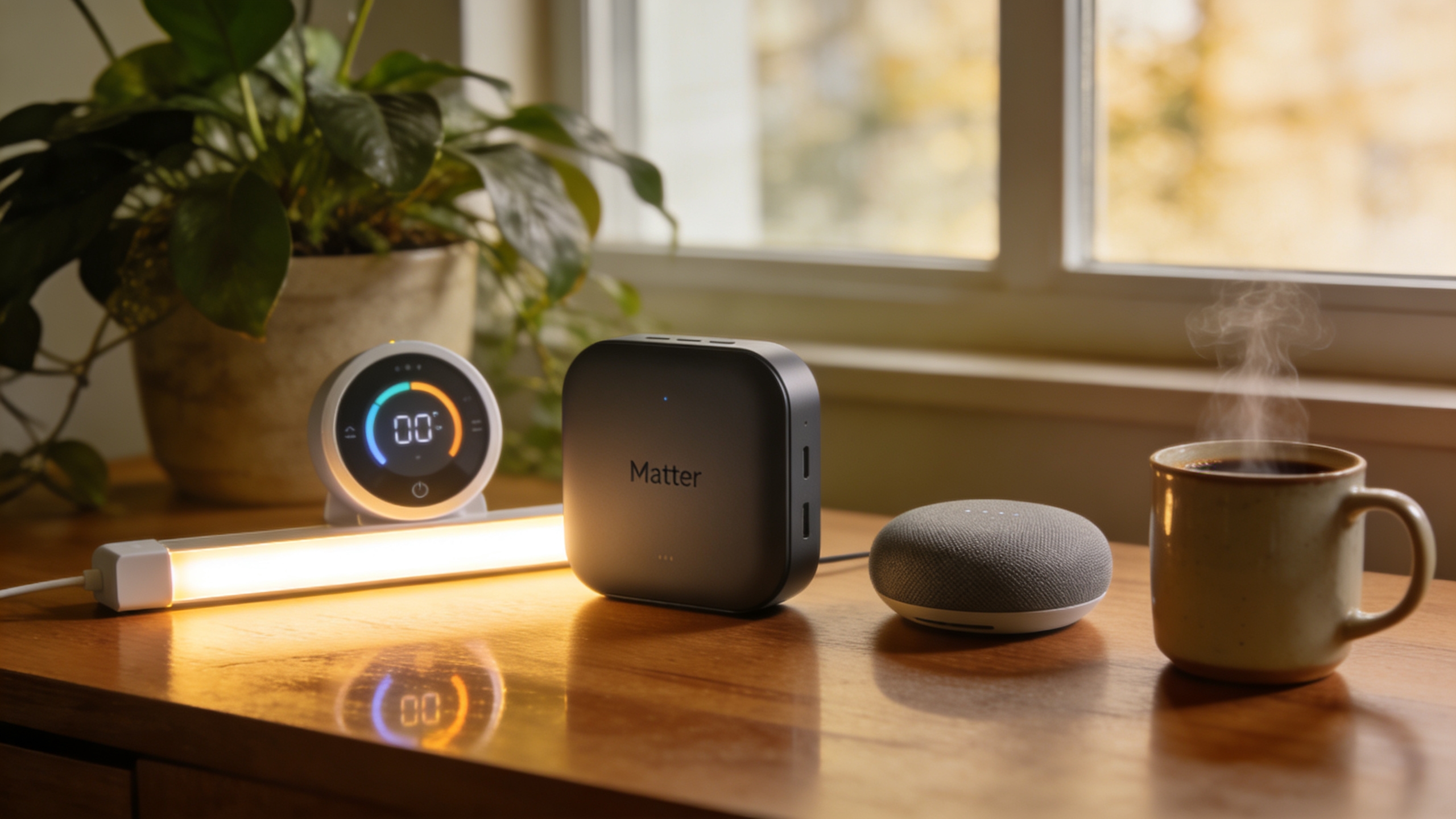
8 Best Matter-Compatible Smart Hub for 2026

You stare at the kitchen counter, a dozen smart bulbs flickering out of sync while your voice assistant stumbles over a lagging command, and you realize the hub you trusted can’t keep up with the new Matter‑enabled devices you just added. The frustration deepens when a Zigbee lamp refuses to join, a Thread sensor drops its connection, and the whole network slows to a crawl.
A good smart hub separates itself by handling multiple protocols—Matter, Zigbee, Z‑Wave, Thread, Wi‑Fi—without choking bandwidth, and by offering reliable local processing instead of relying on the cloud. Buyers often pick hubs based solely on brand name, ignore the importance of Ethernet or PoE backhaul, and overlook the need for future‑proof firmware updates.
This guide reviews eight 2026‑compatible smart hubs, chosen for protocol breadth, local‑only rule capability, and scalability up to 50 k devices. By the end you’ll know which hub matches your network layout, power constraints, and automation ambitions.
Key Takeaways
If you want instant reactions from your smart home without sending data to the cloud, pick a hub that runs automations locally. The Hubitat Elevation C‑8 Pro, Homey Pro, and Aqara M3 all keep the logic on‑device, so your lights flip the moment you press a switch and your privacy stays intact. These models give you the speed you need and the peace of mind you deserve.
For anyone who juggles devices from different brands, a hub that speaks many languages is essential. Look for Z‑Wave, Zigbee, Thread, and Matter support all in one box, and you’ll be able to add new gadgets without buying another bridge. This future‑proofs your setup and lets you mix and match ecosystems effortlessly. It’s a simple way to keep everything working together.
What makes this generation of hubs stand out is the built‑in Thread border router. The Aqara M3 and Homey Pro let you add Thread‑only accessories like new sensors or smart locks without extra hardware. You get a smoother, more reliable mesh network right out of the box. No extra dongles, no hassle.
You get reliable connectivity without overloading your Wi‑Fi. Ethernet‑enabled hubs such as the Aeotec V3 and Homey Pro Mini plug straight into your router, freeing up wireless bandwidth for phones and tablets. This is especially handy in larger homes where Wi‑Fi can get crowded. It keeps your smart devices stable and responsive.
The The product name solves the problem by supporting Matter 1.5 or higher. That means it works seamlessly with Samsung SmartThings, HomeKit, Google Assistant, and any other Matter‑enabled platform you choose. You won’t have to worry about compatibility updates later. It’s a hassle‑free way to keep your smart home unified.
| Philips Hue Bridge Smart Lighting Hub with Voice and Matter Compatibility | 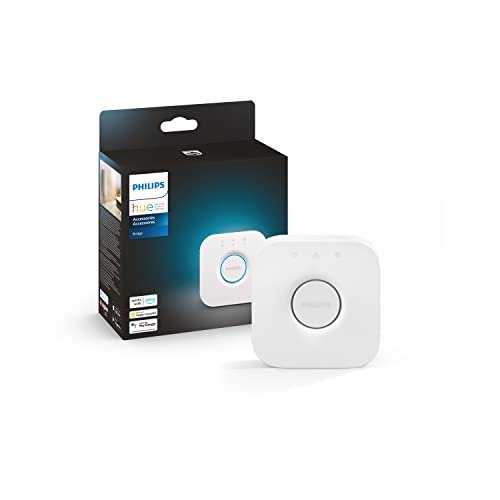 | Best Overall | Matter Support: Matter‑certified | Zigbee Compatibility: Zigbee mesh | Connectivity Method: Ethernet (LAN) + Wi‑Fi (via router) | VIEW LATEST PRICE | Read Our Analysis |
| Aeotec Smart Home Hub with Z‑Wave Zigbee Matter |  | Most Versatile | Matter Support: Matter‑certified | Zigbee Compatibility: Zigbee support | Connectivity Method: Ethernet or Wi‑Fi | VIEW LATEST PRICE | Read Our Analysis |
| Aqara Smart Home Hub M3 – Matter Zigbee Thread Wi‑Fi PoE IR HomeKit Alexa SmartThings Home Assistant IFTTT |  | Multi-Protocol Leader | Matter Support: Matter bridge/controller | Zigbee Compatibility: Zigbee (up to 127 devices) | Connectivity Method: Dual‑band Wi‑Fi, PoE, USB‑C | VIEW LATEST PRICE | Read Our Analysis |
| Matter Smart Home Hub M6 Zigbee Gateway |  | Zigbee Specialist | Matter Support: Matter‑enabled | Zigbee Compatibility: Zigbee gateway | Connectivity Method: Wi‑Fi (dual‑band) + USB | VIEW LATEST PRICE | Read Our Analysis |
| Homey Pro Smart Hub (2026) – Z‑Wave Zigbee Matter Thread Siri Alexa Google Home | ) – Z‑Wave Zigbee Matter Thread Siri Alexa Google Home”] | Power User | Matter Support: Matter‑compatible | Zigbee Compatibility: Zigbee support | Connectivity Method: Wi‑Fi, Ethernet | VIEW LATEST PRICE | Read Our Analysis |
| Homey Pro Mini Smart Hub with Zigbee Ethernet Matter Thread Siri Alexa Google Home |  | Compact Pro | Matter Support: Matter‑compatible | Zigbee Compatibility: Zigbee built‑in | Connectivity Method: Ethernet (incl. optional Wi‑Fi via Homey Bridge) | VIEW LATEST PRICE | Read Our Analysis |
| Hubitat Elevation C-8 Pro Smart Home Hub (Matter Z‑Wave Zigbee) |  | Local Automation | Matter Support: Matter 1.5 support | Zigbee Compatibility: Zigbee 3.0 | Connectivity Method: Wi‑Fi, Ethernet antennasoptional) | VIEW LATEST PRICE | Read Our Analysis |
| THIRDREALITY Smart Bridge MZ1 – Zigbee to Matter Connectivity |  | Bridge Specialist | Matter Support: Matter bridge | Zigbee Compatibility: Zigbee to Matter bridge | Connectivity Method: Wi‑Fi (2.4 GHz) | VIEW LATEST PRICE | Read Our Analysis |
More Details on Our Top Picks
Philips Hue Bridge Smart Lighting Hub with Voice and Matter Compatibility
If you’re tired of juggling multiple apps just control your lights, the Hue Bridge gives you a single point of command that feels like the nervous system of your home. You simply plug it into power and your router, then let the Hue app guide you through setup—no extra steps required. The Zigbee mesh keeps up to 50 lights and accessories responsive, even when Wi‑Fi hiccups, and Matter certification lets you talk to Samsung SmartThings or any other Matter‑compatible device. You’ll enjoy instant local response and automatic firmware updates, all backed by a 2‑year warranty. The tiny white tubular shell weighs about 8 ounces, so it fits discreetly on a shelf. Perfect for anyone who wants voice‑ready control without the hassle. You get reliable performance without sacrificing simplicity. The Bridge solves connectivity gaps by creating a local network that doesn’t rely on the cloud. You’ll notice the lights turn on the moment you speak, not after a lag. The setup is quick, and the app walks you through adding bulbs, switches, and sensors. You’ll appreciate the peace of mind that comes from automatic updates that keep everything secure. The 2‑year warranty adds confidence, and the compact design means it won’t dominate your living room. You’ll love how easy it is to expand your system as your home grows.
- Matter Support:Matter‑certified
- Zigbee Compatibility:Zigbee mesh
- Connectivity Method:Ethernet (LAN) + Wi‑Fi (via router)
- Voice Assistant Integration:Alexa, Google Assistant, Siri (via Matter)
- Local Automation / Edge Processing:Local Zigbee control, cloud‑optional
- Device Capacity (Approximate):Up to 50 lights/accessories
- Additional Feature:Zigbee mesh network
- Additional Feature:Out‑of‑home app control
- Additional Feature:2‑year warranty
Aeotec Smart Home Hub with Z‑Wave Zigbee Matter
If you want a hub that can juggle Zigbee, Z‑Wave, and Matter without a hassle, the Aeotec V3 is the most versatile option on the market. You’ll love its sleek white case and lightweight design—just over a pound—so it fits nicely on a shelf or wall. It connects via Ethernet or Wi‑Fi, and you control it through the SmartThings app on Android, iOS, or iPadOS. You can also speak to it with Alexa, Google Assistant, or Ring for hands‑free control.
For anyone who has a mix of lighting, comfort devices, and energy managers, this hub lets you add any Z‑Wave Plus, Zigbee, or Matter gadget and most automations run locally for speed. You won’t need a separate bridge for each protocol, which simplifies wiring and reduces clutter. The Ethernet adapter and cable are included, so you’re ready to go out of the box.
What makes this smart home hub stand out is its ability to handle a wide range of devices while keeping setup straightforward. You’ll appreciate the one‑year manufacturer guarantee that covers any early issues. The 2020 design feels a touch dated, but the functionality still delivers.
You get reliable performance without a hefty price tag. The hub’s sturdy build and strong wireless connectivity keep your home running smoothly. If you’re looking for a single point of control for all your smart gadgets, this is a solid choice.
- Matter Support:Matter‑certified
- Zigbee Compatibility:Zigbee support
- Connectivity Method:Ethernet or Wi‑Fi
- Voice Assistant Integration:Alexa, Google Assistant, SmartThings
- Local Automation / Edge Processing:Local SmartThings hub functions
- Device Capacity (Approximate):Thousands of devices (via SmartThings)
- Additional Feature:SmartThings hub functionality
- Additional Feature:Z‑Wave Plus support
- Additional Feature:1‑year manufacturer warranty
Aqara Smart Home Hub M3 – Matter Zigbee Thread Wi‑Fi PoE IR HomeKit Alexa SmartThings Home Assistant IFTTT
If you’re tired of juggling separate hubs for different devices, the Aqara M3 consolidates everything into one box. It speaks Matter, Zigbee, Thread, Bluetooth and dual‑band Wi‑Fi, so your lights, locks, sensors and speakers all talk to each other without extra adapters. The 4‑inch square design even includes PoE and a USB‑C mini‑UPS port for reliable power.
For anyone who wants a seamless smart‑home backbone, the M3 acts as a Thread border router for up to 127 devices while also handling the same number of Aqara‑only Zigbee sensors. The 360° IR blaster lets you control an air conditioner and expose it to Matter, turning a simple remote into a smart device. Local edge processing keeps automations fast and private, so you don’t have to rely on the cloud.
What makes this hub stand out is its ability to sync with HomeKit, Alexa, SmartThings, Home Assistant and IFTTT, all while storing 8 GB of encrypted data locally. No microphone or camera means you get a sturdy, privacy‑focused device with a 12‑month warranty. The price feels like a solid deal for the feature set.
- Matter Support:Matter bridge/controller
- Zigbee Compatibility:Zigbee (up to 127 devices)
- Connectivity Method:Dual‑band Wi‑Fi, PoE, USB‑C
- Voice Assistant Integration:Alexa, Google Assistant, Siri (via Matter)
- Local Automation / Edge Processing:Edge hub with local automation priority
- Device Capacity (Approximate):Up to 127 Zigbee devices, 127 Thread devices
- Additional Feature:Thread border router
- Additional Feature:8 GB encrypted local storage
- Additional Feature:PoE power option
Matter Smart Home Hub M6 Zigbee Gateway
If you’re trying to keep a house full of Zigbee gadgets running smoothly, the Blindsmart M6 steps in as a reliable hub. You’ll plug it into any 802.11ac/ax router, and the dual‑band Wi‑Fi with built‑in antenna spreads the signal across multiple floors, so your lights, sensors, and plugs stay connected. The app walks you through setup, lets you build scenes, and pushes OTA updates so you stay current without lifting a screwdriver.
For anyone who wants a hub that can juggle more than 125 devices, the M6’s capacity is a game‑changer. You get remote access and seamless sync with Google Home, SmartThings, and Tuya, while Alexa still needs a work‑around. The 30‑day return policy gives you a safety net if anything feels off.
What makes this Zigbee hub stand out is its straightforward, no‑frills design that focuses on what you need: stable connectivity and easy control. You can manage everything from a single app, and the OTA updates keep the firmware fresh without any hassle. It’s a solid choice for a tech‑savvy homeowner who wants reliable performance without extra fuss.
- Matter Support:Matter‑enabled
- Zigbee Compatibility:Zigbee gateway
- Connectivity Method:Wi‑Fi (dual‑band) + USB
- Voice Assistant Integration:Google Home, SmartThings (no Alexa)
- Local Automation / Edge Processing:Local Zigbee bridge + cloud OTA
- Device Capacity (Approximate):125+ Zigbee devices
- Additional Feature:125+ Zigbee device capacity
- Additional Feature:4800 Mbps upstream rate
- Additional Feature:30‑day return guarantee
Homey Pro Smart Hub (2026) – Z‑Wave Zigbee Matter Thread Siri Alexa Google Home
If you’re tired of juggling separate apps for each smart gadget, the Homey Pro (2026) lets you control everything from a single place. You’ll get Zigbee, Z‑Wave Plus, Matter, Thread, BLE, Wi‑Fi and infrared all packed into a 4.9‑inch square box that runs locally, so your data stays home. The app, Siri, Alexa or Google Home can talk to 50,000+ devices, from Philips Hue bulbs to Dyson fans, without a hitch.
For anyone who loves tinkering with automations, the Flow editor feels like a visual playground. You can set up a simple “lights turn on at sunset” rule or a multi‑step “when motion is detected, pause music, dim lights, and send a notification” sequence. The new RAM boost handles larger setups without slowing down.
What makes this smart hub stand out is its energy‑monitoring and solar‑aware scheduling. You’ll see real‑time power usage for each device and let the hub prioritize solar‑generated electricity when it’s available. Community‑built apps add extra functionality, turning the hub into a surprisingly flexible home brain.
You get the benefit of a unified system without sacrificing performance. The hardware processes commands locally, so you’re not dependent on a cloud service to keep things running. This means faster responses and peace of mind for privacy‑concerned users.
The Homey Pro solves the problem of fragmented smart‑home ecosystems by supporting every major protocol in one box. You can finally retire the clutter of multiple hubs, and your home will feel more cohesive and easier to manage.
- Matter Support:Matter‑compatible
- Zigbee Compatibility:Zigbee support
- Connectivity Method:Wi‑Fi, Ethernet
- Voice Assistant Integration:Alexa, Google Assistant, Siri
- Local Automation / Edge Processing:Full local processing, minimal cloud
- Device Capacity (Approximate):50,000+ devices (via ecosystem)
- Additional Feature:Energy monitoring dashboard
- Additional Feature:Infrared control for legacy devices
- Additional Feature:Expanded RAM for larger setups
Homey Pro Mini Smart Hub with Zigbee Ethernet Matter Thread Siri Alexa Google Home
If you’re tired of hubs that look like a tangle of cables, the Homey Pro Mini keeps your setup tidy while still handling Zigbee, Matter, Thread, and Ethernet in a compact black box.
For anyone who wants to control a thousand different brands—Sonos, Philips Hue, Ecobee, LG, Yale—through Siri, Alexa, or Google Home, this mini hub delivers the connections you need.
What makes this smart hub stand out is its local processing, so your automations keep running even when the internet drops.
You get a visual Flow editor that feels like a playground, and an energy dashboard that shows real‑time usage without any subscription fees.
The 3.9‑inch cube comes with a power adapter, Cat5e cable, and a USB‑C lead—no batteries, no fuss.
Perfect for tech‑savvy renters, this device lets you back up automations locally or to the cloud, so you never lose a rule.
You get powerful automation without the wall‑of‑wires look.
- Matter Support:Matter‑compatible
- Zigbee Compatibility:Zigbee built‑in
- Connectivity Method:Ethernet (incl. optional Wi‑Fi via Homey Bridge)
- Voice Assistant Integration:Alexa, Google Assistant, Siri
- Local Automation / Edge Processing:Local processing, optional cloud backup
- Device Capacity (Approximate):1,000+ devices (via Homey apps)
- Additional Feature:Ethernet‑only connectivity
- Additional Feature:Expandable via Homey Bridge
- Additional Feature:Local backups with cloud option
Hubitat Elevation C-8 Pro Smart Home Hub (Matter Z‑Wave Zigbee)
If you want your lights, locks, and thermostats to keep working even when your internet quits, the Hubitat Elevation C‑8 Pro runs every rule on‑device. You’ll notice instant reactions and no monthly fees, which means more privacy and less hassle. The system supports Matter 1.5, Z‑Wave LR, Zigbee 3.0, and Bluetooth, so you can add the newest gadgets without a hitch.
For anyone who lives in a large house, the external antennas give you solid coverage in every corner. You can start with simple schedules and then dive into custom rules that match your lifestyle. The UI adapts to both beginners and power users, making it easy to tweak automations on the fly.
What makes this smart hub stand out is its ability to blend AI‑assisted automations with traditional device control. You get smarter scenes that learn your habits, yet you still have full manual control whenever you need it. Updates keep the platform fresh, adding new device support regularly.
You get reliable local automation without a subscription cost. Your home stays functional, private, and responsive, even if the ISP drops the ball. The Hubitat Elevation C‑8 Pro is a solid foundation for a resilient smart home.
- Matter Support:Matter 1.5 support
- Zigbee Compatibility:Zigbee 3.0
- Connectivity Method:Wi‑Fi, Ethernet antennasoptional)
- Voice Assistant Integration:Alexa, Google Assistant, Siri
- Local Automation / Edge Processing:Local automations, no cloud dependency
- Device Capacity (Approximate):1,000+ devices (via Hubitat ecosystem)
- Additional Feature:External high‑gain antennas
- Additional Feature:AI‑assisted automation
- Additional Feature:Supports Matter Bridges
THIRDREALITY Smart Bridge MZ1 – Zigbee to Matter Connectivity
If you’ve got a bunch of Zigbee lights and sensors that sit idle because your smart‑home hub only speaks Matter, you’ll love the SIMPLE bridge that plugs into any 2.4 GHz Wi‑Fi network and instantly translates the traffic. The 3R‑Installer app walks you through setup in minutes, then keeps the firmware fresh with OTA updates, so you never have to tinker again. You get HomeKit, Google Assistant, SmartThings, or Home Assistant control without buying new devices.
For anyone who wants a tidy solution that doesn’t hog space, this tiny white bridge weighs just 1.44 oz and measures about three inches across, so it disappears on a shelf. It draws power from a USB‑C cable, meaning you can place it wherever your router lives and keep the cords tidy. The design is straightforward, and the app guides you step‑by‑step, so you won’t need a tech‑savvy friend.
What makes this Matter bridge stand out is the way it removes the barrier between two ecosystems. Your Zigbee gadgets instantly appear in the Matter‑compatible apps you already use, letting you dim lights, set scenes, and get sensor alerts from the same interface. The bridge handles the heavy lifting, so you can focus on building routines instead of troubleshooting protocols.
You get a one‑year warranty and Amazon’s return policy, giving you confidence that the investment is low risk. The price feels like a small fee to unlock a whole ecosystem of smart‑home possibilities. If you’re already using Zigbee devices, this bridge is a no‑brainer for seamless Matter integration.
- Matter Support:Matter bridge
- Zigbee Compatibility:Zigbee to Matter bridge
- Connectivity Method:Wi‑Fi (2.4 GHz)
- Voice Assistant Integration:Alexa, Google Assistant, Apple HomeKit (via Matter)
- Local Automation / Edge Processing:Local Zigbee‑to‑Matter bridge, OTA updates
- Device Capacity (Approximate):Zigbee devices limited by bridge, typical home scale
- Additional Feature:USB‑C power interface
- Additional Feature:Compact space‑saving design
- Additional Feature:OTA firmware updates via 3R‑Installer
Factors to Consider When Choosing a Matter Compatible Smart Hub
If you’re worried about your smart home lagging when the internet drops, look for a hub that handles commands locally. You’ll keep lights, locks, and sensors responsive even if your Wi‑Fi hiccups. The device should also let you add more gadgets without hitting a ceiling—so you can grow your system over time.
For anyone who hates complicated setups, choose a hub that walks you through installation in a few minutes. You won’t need a tech degree to get it running, and the app will guide you step by step. Once it’s connected, you’ll feel confident adding new devices without a headache.
What makes this smart hub stand out is its ability to support multiple protocols right out of the box. You can pair Zigbee, Z‑Wave, and Wi‑Fi devices without buying extra bridges. That means fewer gadgets on your shelf and a smoother experience for your whole family.
You get reliable performance without sacrificing future‑proof updates. The manufacturer pushes firmware upgrades automatically, so your hub stays compatible with the latest devices. No more worrying about a dead‑end system after a year.
Perfect for busy households, this hub lets you control everything from a single app. You can set routines, lock doors, and dim lights with a tap, all while the hub runs the heavy lifting locally. It’s a simple solution that fits right into your daily life.
Protocol Features & Compatibility
If you want a hub that won’t hold you back when adding new smart gadgets, look for Matter 1.5 support. It gives you the latest cross‑vendor tricks and keeps everything talking smoothly. You’ll love it.
For anyone who still has Zigbee or Z‑Wave lights, make sure the hub includes those radios alongside Thread, Wi‑Fi, and Bluetooth. That way you can bring legacy gear into your new Matter network without buying extra adapters. It saves you time and money.
What makes this hub stand out is its ability to act as both a Matter controller and a bridge. Controllers let you create scenes and automations, while bridges turn non‑Matter devices into Matter‑compatible players. You get flexibility without juggling multiple hubs.
You get reliable mesh performance without sacrificing capacity. Check the device limit and whether it supports a Thread border‑router; that ensures a house full of gadgets stays responsive. It keeps your smart home humming.
Perfect for the tech‑savvy homeowner, this hub balances size and power. It fits neatly on a shelf but still handles dozens of connections and multiple radio frequencies. You won’t notice any slowdown as your network grows.
Local Processing & Reliability
If you hate losing control of your lights or door lock when the internet goes down, a hub that runs automations locally is a lifesaver. You’ll keep the lights on and the lock clicking without waiting for the cloud, and you’ll feel the response in a flash—just a few hundred milliseconds. No sensitive data leaves your network, so your privacy stays intact.
For anyone who wants a smooth smart‑home experience, look for a hub that supports both Matter and your older routines. You should also check how many automations it can handle at once; if it can juggle your whole setup without choking, you’ll enjoy reliable performance.
What makes this kind of hub stand out is its edge processing. It shaves latency so a tap feels instant, not like waiting for a snail‑mail reply. You get fast, local control without sacrificing security.
You get the peace of mind that your home stays functional even during a cloud outage. This means you won’t be left in the dark or stranded outside, and you won’t have to worry about your data being sent off‑site.
Perfect for tech‑savvy homeowners, this hub lets you keep everything running locally while still being compatible with the latest Matter devices. It gives you the flexibility to mix new and legacy gear, making your smart‑home life smoother and more reliable.
Scalable Device Capacity
If you’re adding a bunch of smart bulbs, locks and sensors, you’ll quickly hit a limit if your hub can’t support enough devices. Look for a hub that can handle at least 150 devices, giving you headroom for future gadgets. A model that supports Zigbee, Thread and Z‑Wave lets you spread the load across three networks, which keeps each one from getting crowded.
For anyone who wants a smooth experience as the house fills up, check the per‑protocol caps. Zigbee often tops out around 100 nodes, while Thread border routers usually stop at 50, and those limits don’t combine. Choose a hub that lets you add secondary bridges or repeaters so you can expand without hitting a wall.
What makes this smart hub stand out is its local processing power, which reduces latency and keeps things running even if your internet drops. You’ll notice faster response times and fewer hiccups when you control lights or lock doors from your phone.
You get reliable performance without sacrificing ease of setup. Follow the manufacturer’s density guidelines, keep devices evenly spread, and you’ll avoid the dreaded bottleneck that can slow down a whole smart home.
Ease of Setup
If you’re tired of hunting for device IDs after plugging in a new hub, you’ll love a system that guides you step‑by‑step through a dedicated app. The app shows clear prompts and auto‑discovers devices, so you can pair lights, sensors, and speakers without a manual. It even lets you switch between Wi‑Fi and Ethernet on the fly, so a weak signal won’t stall your setup.
For anyone who wants a hassle‑free experience, look for a hub that supports both wired (Ethernet or PoE) and wireless (Wi‑Fi/Bluetooth) connections. When Wi‑Fi is spotty, just snap in a cable and keep moving forward.
What makes this hub stand out is its Matter certification, which pushes OTA firmware updates with a visible progress bar. You’ll stay on the latest security patch before you finish your first scene.
You get local edge provisioning without losing your existing automations. Import your old routines instead of rebuilding them from scratch, saving time and frustration.
Perfect for DIY enthusiasts, the box should include the power adapter, Ethernet cable, USB‑C, and mounting hardware. If any piece is missing, you’ll be hunting for accessories and delaying the fun.
Future‑Proof Updates
If you want a hub that stays useful as Matter evolves, make sure it supports Matter 1.5 or later and includes Matter Bridges so you can grab new features while still talking to older devices. Look for automatic OTA firmware updates that survive power loss, so security patches roll out without you lifting a finger. Prefer local‑first operation: critical automations and updates should run on‑device, not in the cloud, which protects you if a service disappears. Ask the vendor about upgradeability—modular radios or a software‑defined stack give you headroom for future devices. Finally, review the update cadence, patch windows, and warranty length to gauge long‑term support.
Frequently Asked Questions
Can the Hub Run on Solar Power?
You can run most Matter‑compatible hubs on solar, but you’ll need a reliable battery buffer and a decent panel. I’m sure you’ve noticed that the hub’s power draw is usually under 5 W, so a 20‑W panel plus a 12 V 12 Ah battery will keep it humming through cloudy days. Look for models with a DC input or a USB‑C power‑bank option. If you’re using a larger hub with a built‑in speaker, bump the panel size up a bit. In short, solar works—just size the system for your hub’s peak draw and a few cloudy hours.
Will the Hub Support Future Matter Versions Automatically?
You’ll get automatic updates for new Matter releases, because the hub’s firmware is cloud‑managed and designed to roll forward without you lifting a finger. I’m sure you’ve noticed how many devices now promise “future‑proof” but never deliver; this one actually backs it up. The update schedule is roughly quarterly, and it checks for patches on boot. So you’ll stay compatible, unless you deliberately block internet access.
How Does the Hub Handle Firmware Rollbacks?
You’ve probably wondered how the hub handles firmware rollbacks. It keeps a dual‑partition image, so if a new update crashes, it automatically boots the previous stable slot. You can also trigger a manual rollback from the app, which reverts to the last known‑good version in a few taps. The process is silent, safe, and doesn’t erase your device settings—think of it as a safety net that snaps back without you losing any smart‑home choreography.
Is There a Built‑In Battery Backup?
You’ve probably wondered if the hub can survive a power cut without a wall outlet. It doesn’t have a built‑in battery backup, so when the lights go out the hub shuts down just like your phone on low‑power mode. You’ll need a UPS or a plug‑in power bank if you want it to stay alive through an outage. I lean toward models that pair with a cheap UPS; it’s a simple, reliable fix.
Can the Hub Be Managed via a Command‑Line Interface?
You can manage the hub via a command‑line interface, and it feels like hacking your coffee maker. I’m sure you’ve noticed most Matter hubs hide behind apps, but this one drops a lightweight CLI you can SSH into. You’ll get basic commands—pair, status, reset—plus JSON output for scripts. It’s not a full‑blown Linux shell, but it’s enough to automate routines without opening a browser. I lean toward this for power users.